Text in drawings are being displayed incorrectly (too small, large, or incorrect font).
The most common reason why texts in CAD drawings appear incorrectly is due to the applied fonts or plot styles in the drafting process not being uploaded to RedEye to apply when processing uploads. This may result in substitute fonts being used by default, rendering the look of the preview different to the Drafter's intent.
Upon initial upload missing fonts and plot styles will be reported to the uploader and will be indicated in the Report menu on the artefact page.
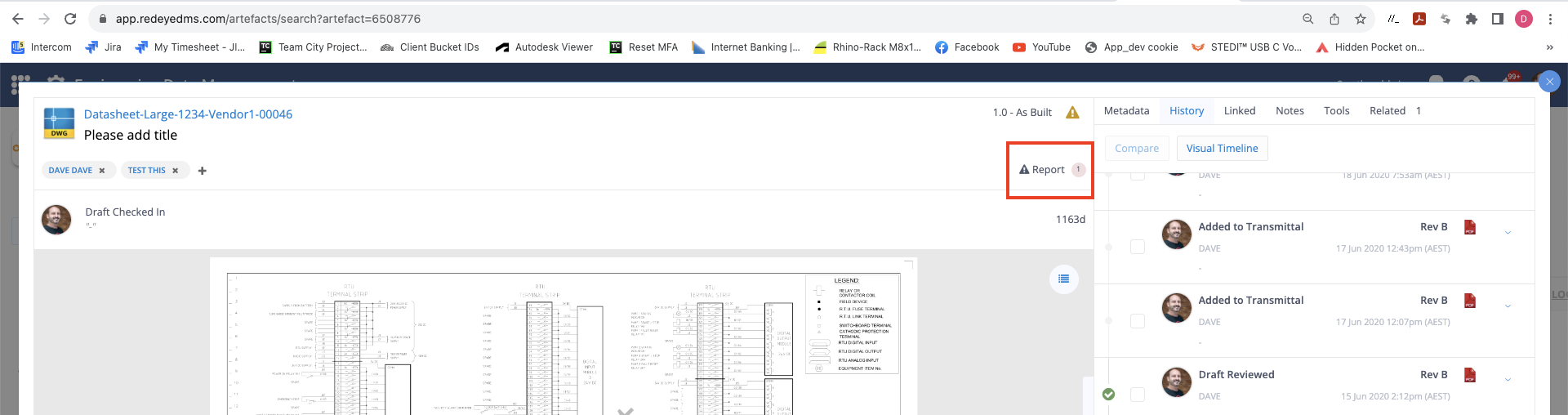
If font files are missing (either .ttf or .shx ), a Bucket Administrator can upload the font files in the Fonts & Plot Styles portal in the Manage Bucket page, and then clear the Reported queue for that font. Once the font is uploaded refresh the preview using the Tools menu on the artefact Tools tab to reprocess the artefact preview with the new fonts applied.